
 Blimp
Blimp
Your music.
Beautifully played.
Blimp plays the music already on your PC, with a live visualizer, synced lyrics and hi-res audio. No accounts, no ads, no internet.
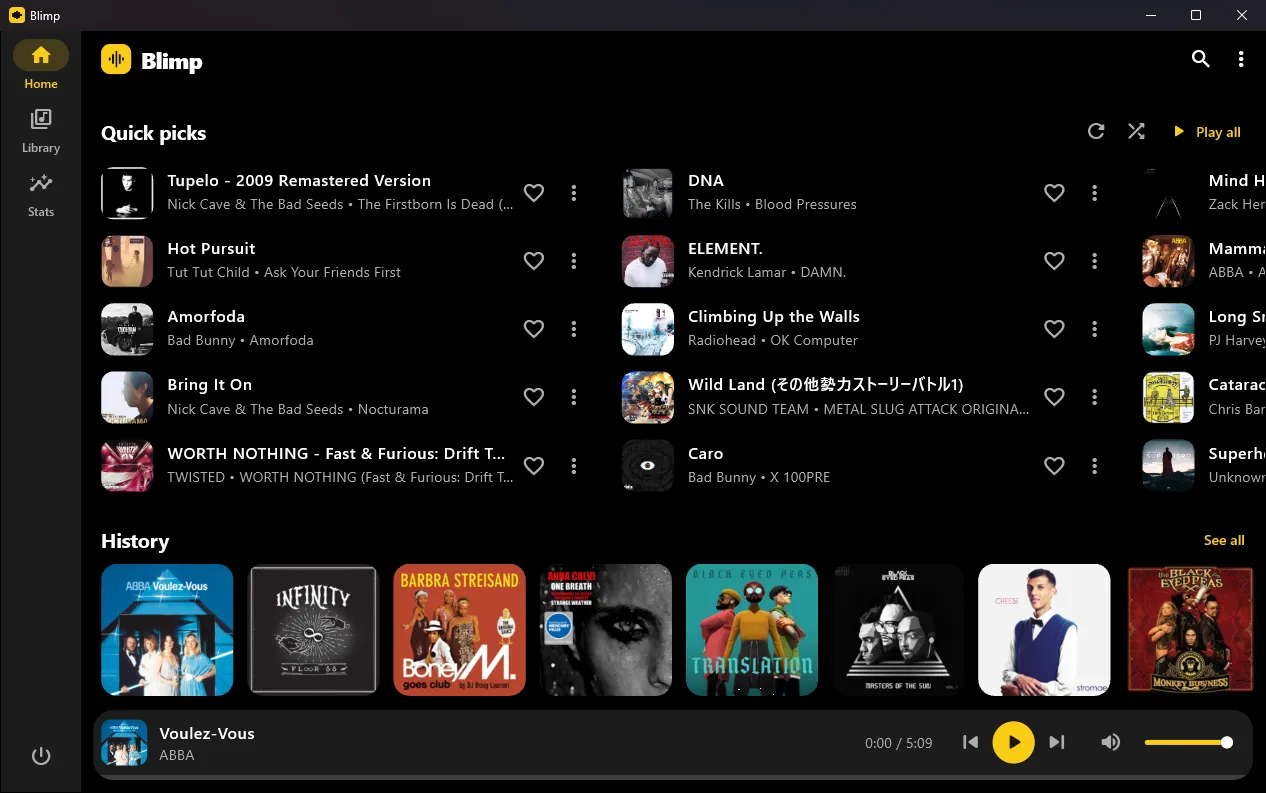
Everything your music deserves
Point Blimp at your music folder and it does the rest.
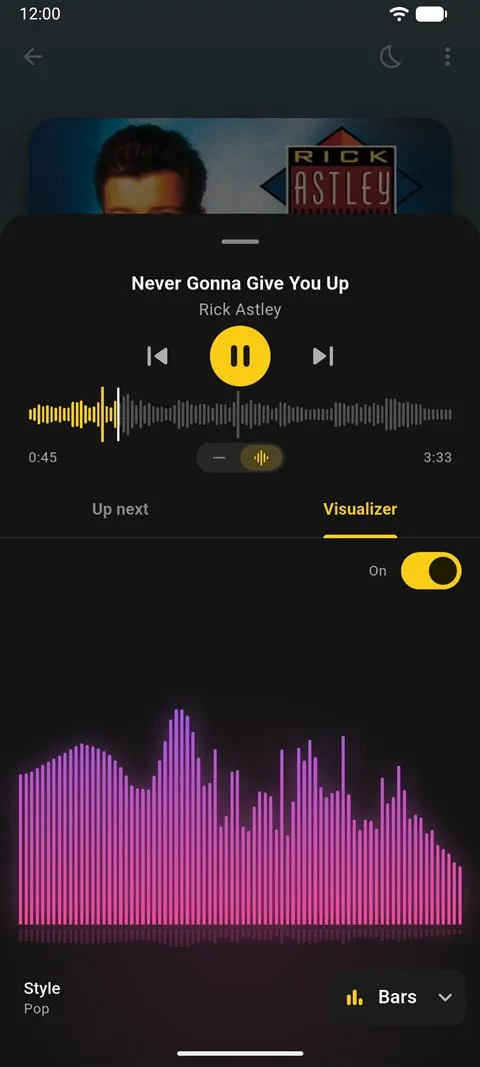
Live visualizer
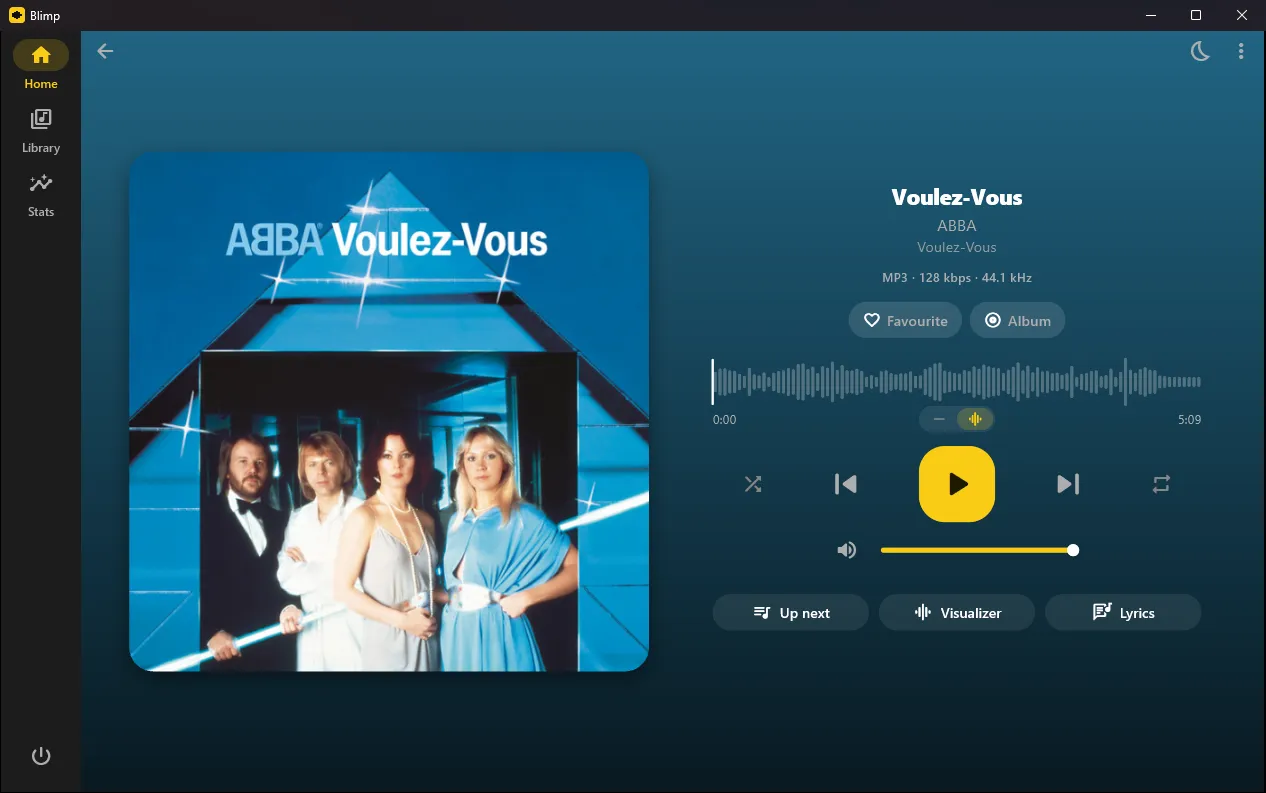
Bars, Mirror, Wave, Radial and Pulse, moving with every beat of what's playing.
Synced lyrics
Lines light up as they're sung. Read from your files' tags or .lrc files beside them.
Sounds right
Hi-res badges, volume normalisation, smooth fades between songs and a waveform seek bar.
Your library, your way
Songs, albums, artists, genres and folders. Albums sorted into Albums, EPs and Singles. Search that ignores accents.
Listening stats
Your top songs, artists and genres, and how much you listened today, this week or ever.
Private by design
Blimp never goes online. It doesn't collect, share or upload anything. Privacy policy
Made for the desktop
Not a phone app in a window. Blimp fits in with Windows.
- Media keys and the Windows media flyout
- Keeps playing in the tray when you close the window
- Pauses when your headphones are unplugged
- Sortable song table for big libraries
- Remembers its size and place on screen
- Shortcuts: Space play, Ctrl+←/→ skip, Ctrl+F search
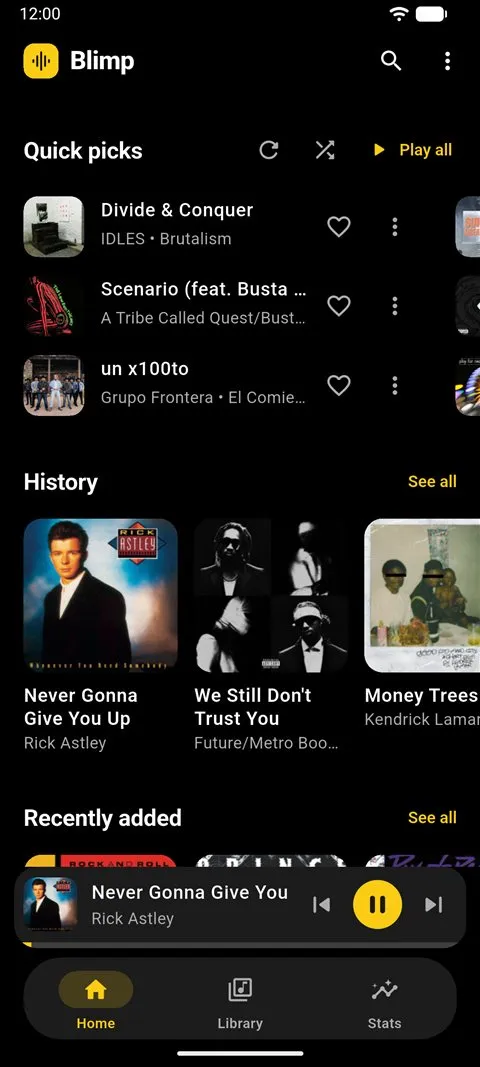
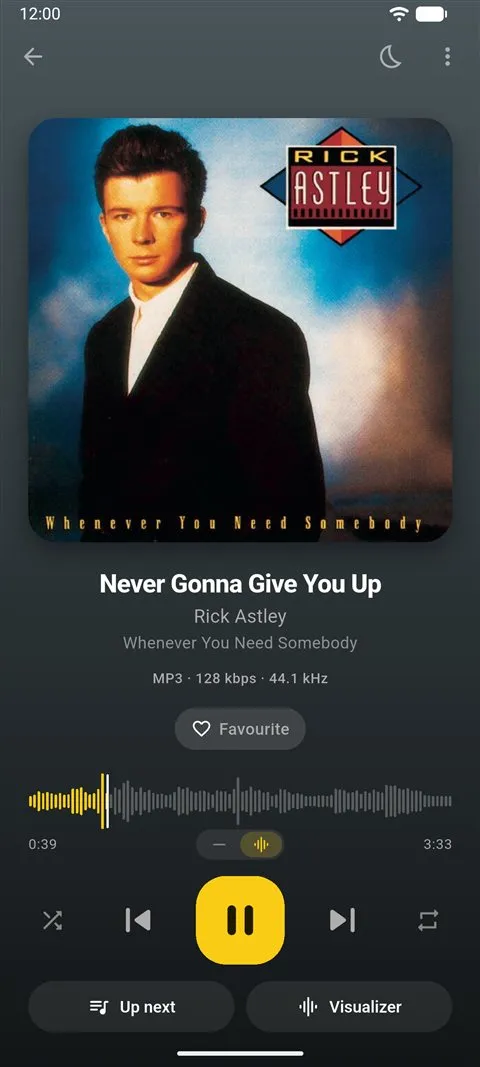
Also on Android
The same Blimp on your phone, with Android Auto, home screen widgets, lock screen controls and a sleep timer. Coming to Google Play.
Under the hood
Blimp is one Flutter codebase for Android and Windows. Playback runs on just_audio and audio_service, with media_kit on Windows and a customised just_audio_background that adds Android Auto browsing. The source is on GitHub.
Ready to listen?
Download for WindowsWindows says it "protected your PC"?
That's because the installer isn't signed with a paid certificate yet, not because anything is wrong with it. Click More info, then Run anyway.
To uninstall, go to Settings › Apps › Installed apps, find Blimp, and choose Uninstall.